Digital
Locked Out of Your Own Account? Five Checks That Decide Who Can Let You Back In
A household locked out of its own utility account learns that the password was never the thing standing in the way. The recovery path was, and someone else controls it.
A woman in her fifties spent eleven days trying to get back into the account for her own water service. She had the password, or thought she did, and when it failed she clicked the reset link like anyone would. The reset code went to an email address at a university she attended in 1994, deactivated for two decades. The phone verification asked for the last four digits of the Social Security number on file, which belonged to her father, the original account holder, dead since 2016. Her password was never the obstacle. The recovery path was, and the utility owned it.
Check who receives the reset, because that address is the real account
Every account has a password and a back door, and the back door is almost always an email address or a phone number recorded years ago and never revisited. Whoever controls that address controls the account, regardless of what the password is or how strong it is. The practical work is unglamorous: log into each account that matters, find the security or profile page, and read what is listed there. Households routinely find a defunct work address, a carrier email from a provider they left, an ex-spouse's number. Fixing it takes four minutes per account and removes the failure the water customer hit.
Check where the second factor actually lives, and print the backup codes
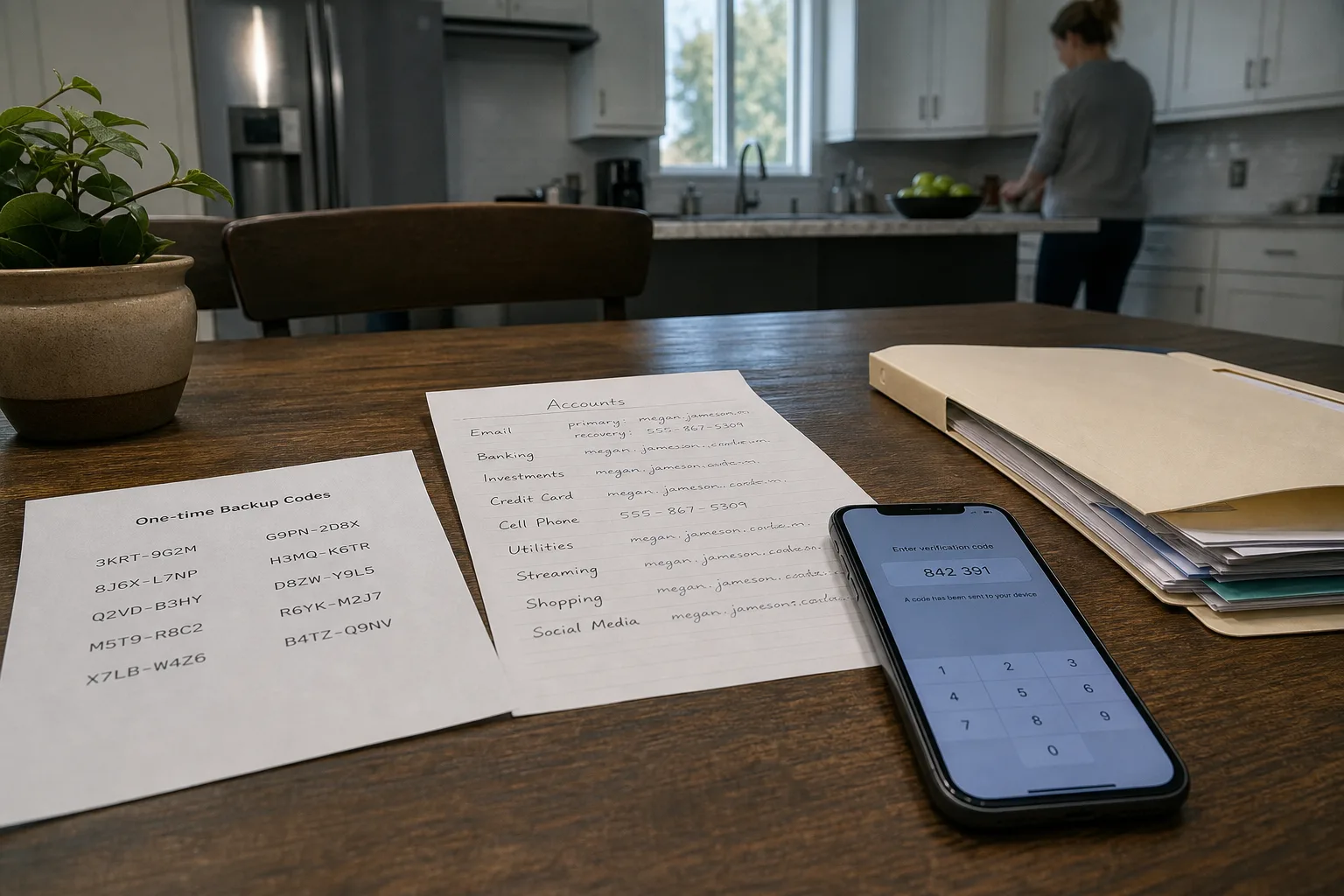
Two-factor authentication moves the decision from something you know to something you hold, which is an improvement right up until the thing you hold is gone. Codes sent by text depend on a phone number the carrier controls, and carriers reassign and port numbers on the strength of a customer service call. Codes from an authenticator app live on one device, and a dropped phone takes them with it. Nearly every service that offers a second factor also offers one-time backup codes at setup, and those codes are paperwork: print them, fold them, put them in the same file as the deed and the insurance declarations.
Check the inventory, which is a list of where, not a list of what
The document that saves a household is not a list of passwords. It is a single page naming the accounts that would cause real trouble if nobody could reach them: the bank, the mortgage servicer, the two utilities, the homeowners policy, the email address that the other accounts reset through, the phone carrier, the tax preparer's portal. Next to each, the login identifier and the recovery address on file, and nothing else. That page is safe to keep in a drawer, useful to a spouse at eleven at night, and it converts a vague sense that everything is handled into something another person can act on.
Check length before complexity, since the rules changed and most sites have not caught up
The advice that produced Tr0ub4dor&3 has been retired by the people who issued it. The National Institute of Standards and Technology is responsible for the federal digital identity guidelines that most corporate password policies were copied from, and the current direction favors length, screening against known-breached passwords, and leaving credentials alone unless there is evidence of compromise. For a household this means a long passphrase of four or five unrelated words beats a short scramble of symbols, and the routine quarterly change that produced Summer2019! followed by Summer2020! was doing more harm than good. The check to run is reuse. A password manager will flag which credentials repeat across sites in one pass, and the repeats are what turn one company's breach into four of your problems.
Check who gets in if the person who set all this up cannot
In most households one person handles the accounts, and that person's absence, whether for a week in the hospital or permanently, is when the arrangement is tested. The major platforms have built for this: Apple and Google both allow a designated contact who can request access under defined conditions, and the serious password managers offer emergency access with a waiting period, so a named person requests entry and gets it after several days unless the account holder declines. Setting one up takes ten minutes and requires naming someone, which is the part people postpone. The alternative is an executor with a death certificate negotiating with a support queue.
The decision you are actually making
What runs through all five checks is that the household is not the party deciding whether you get back in. The bank decides, the utility decides, the email provider decides, and each of them decides according to a recovery procedure written for its own risk, not your convenience. You cannot change that procedure. You can make sure the details it relies on are current, that you hold the printed codes it will ask for, and that a second person in the house knows which door to try. That is the whole of the control available, and it is enough. The water customer eventually got in by mailing a copy of her father's death certificate and a utility bill in her own name to an address the call center gave her on the third attempt, which worked, and which took eleven days that a fifteen-minute review of the recovery email would have saved.
Set aside one evening. Open the five or six accounts whose loss would actually disrupt the month, correct the recovery address on each, print the backup codes, write the one-page inventory, and tell one other person in the house where the folder is. Nothing about the work is technical, and none of it needs to be redone on a schedule. It needs to be redone when the phone number changes, when someone moves out, or when an email address is retired, which are the same three moments that quietly break it in the first place.